
Account access
Shuffle casino login, without the guesswork
Signing in is the easy part. The parts worth reading are what to do when it fails, how to keep the account yours, and why a referral code cannot be added once you are already logged in.
01 Signing in
The standard process
- Open Shuffle from your own bookmark
Not from a search ad, not from a link in a chat group.
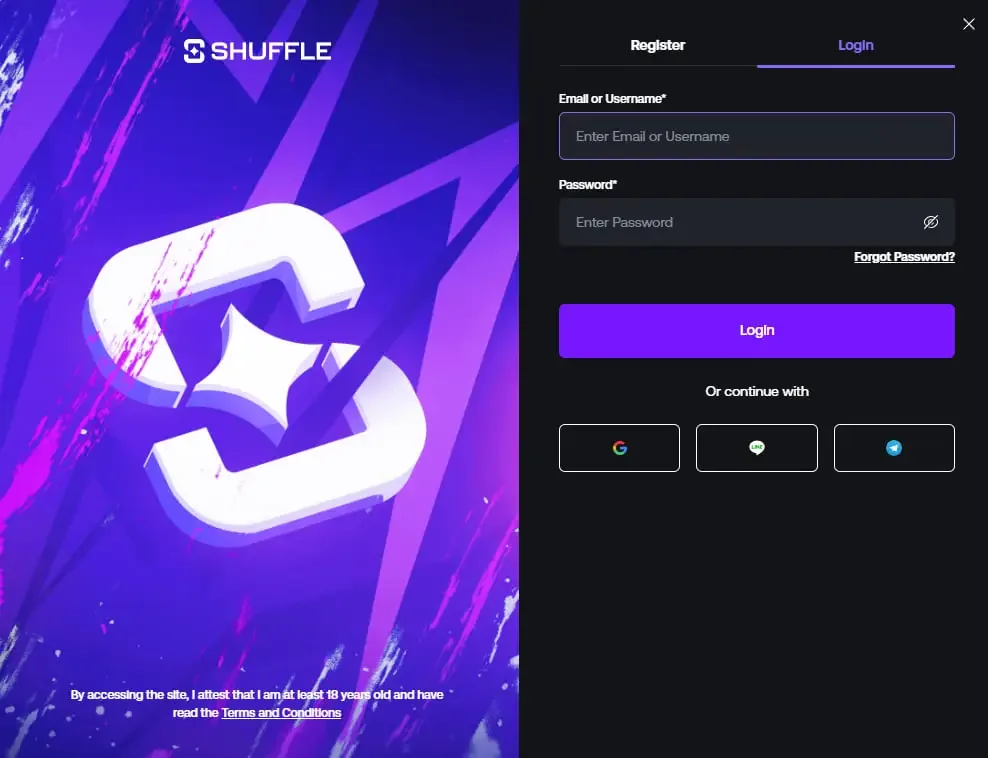
- Choose the Login tab
The panel opens on Register by default when you arrive from a referral link.
- Enter your email or username, then your password
Or use the social provider you originally registered with.
- Complete two-factor if you have enabled it
Codes are time-based, so a phone with the wrong clock will fail every time.
- Check the balance before you play
A quick look at the wallet confirms you are in the right account and the right currency.
02 When it goes wrong
Recovery, in order of likelihood
Work through these before assuming something serious has happened to the account.
Wrong field
Email entered where the username belongs, or the other way round. The panel accepts either, but not a mixture with a typo.
Stale autofill
Browsers hold onto old passwords after a change. Clear the field manually and type it once.
Password reset loop
Use Forgot Password?, check spam, and confirm you are watching the inbox the account was registered with.
Two-factor drift
Authenticator codes fail if the device clock is off. Enable automatic time on the phone and retry.
Social sign-in mismatch
An account created through Google will not have a password to reset. Sign in through the same provider.
Review or verification hold
Accounts under KYC review can be blocked from signing in until the check completes. Support is the only route here.
03 Security
Keeping the account yours
A casino account holding crypto is a more attractive target than a streaming subscription, and the recovery options are thinner. A few habits cover most of the risk.
- A unique password. Reused passwords are the single most common cause of account takeover, because the leak happens somewhere else entirely.
- Two-factor authentication. Enable it the day you register, not after something happens.
- A saved bookmark. Typing the address once and using the bookmark afterwards removes the entire class of lookalike-domain attacks.
- Withdrawal address discipline. Check the first and last characters of any address you paste. Clipboard-hijacking malware exists specifically for this moment.
- No password sharing, ever. No legitimate support agent will ask for it. Anyone who does is not support.
How fake login pages work
They buy an ad or a lookalike domain, copy the real sign-in panel pixel for pixel, and wait. You type your credentials, the page shows an error, then quietly forwards you to the real site so nothing feels wrong.
The only reliable defence is checking the address bar before typing — and reaching the site from your own bookmark so you rarely have to.
Playing on a phone?
Sign-in behaves the same way, but session persistence and device locks matter more. The Shuffle casino app and mobile guide covers that side.
04 No account yet
If you are here before registering
There is one decision that cannot be undone later, and it happens on the screen before your first login: the referral code.
Shuffle's registration form includes a Referral Code (Optional) field. Entering SHFLVIP there attaches the account to the 200% first deposit offer. Leave it blank and the account is created without it — permanently, because no equivalent field exists after sign-up.
So: register first with the code, then worry about login habits. The SHFLVIP promo code walkthrough shows the exact field and what the bonus terms require.
200% Deposit Bonus up to $1,000
The operator's first deposit offer, opened with the referral code below.
- Verified code
- Referral code
- 200% Bonus
- Up to $1,000
- No expiry date published
The code works during account creation only. Full conditions are published by the operator — read them before you deposit.
05 FAQ
Login questions
Shuffle's sign-in panel takes an email address or username together with your password. Social sign-in options are also offered on the same panel — Google and Telegram appear among them — which is convenient but ties account recovery to that third-party account. Whichever route you pick, use the same one every time; creating a second account through a different method is a terms breach, not a workaround.
Use the Forgot Password? link on the login panel and follow the email reset flow. Check spam if nothing arrives within a few minutes, and make sure you are using the address the account was registered with. If you originally signed up through a social provider, there may be no separate password to reset — sign in through that provider instead.
The usual causes are mundane: caps lock, a browser autofilling an old password, or a typo in the username where you meant to enter the email. Beyond that, two-factor codes drift if your phone's clock is off, and an account under review will refuse sign-in until the review clears. If none of that applies, contact Shuffle support directly rather than retrying repeatedly.
Reach it from your own bookmark rather than a search result, an ad or a message, and check the address bar before typing anything. Fake casino login pages are usually near-perfect copies distinguished only by the domain. Shuffle will never ask for your password over live chat, email or social media.
No. The referral code is read once, on the registration form, and there is no field in account settings that accepts one later. If your account already exists, the 200% first deposit offer described on the promo code page is not available to it, and opening a second account to get around that breaches Shuffle's terms.
Create the account the right way
The referral field appears once. Enter SHFLVIP while you register and the first deposit offer is attached from the start.
19+. Bonus terms apply and can change — check Shuffle's current conditions before depositing.